Fractalysis: a deep-zoom Mandelbrot set explorer, in your browser
Fractalysis is a free online Mandelbrot viewer. There is nothing to install and nothing to sign up for: open it, and the set is there to be explored, rendered on every core your machine has. It keeps resolving detail at magnifications where most viewers have long since dissolved into blocks.
Open Fractalysis (opens in a new tab)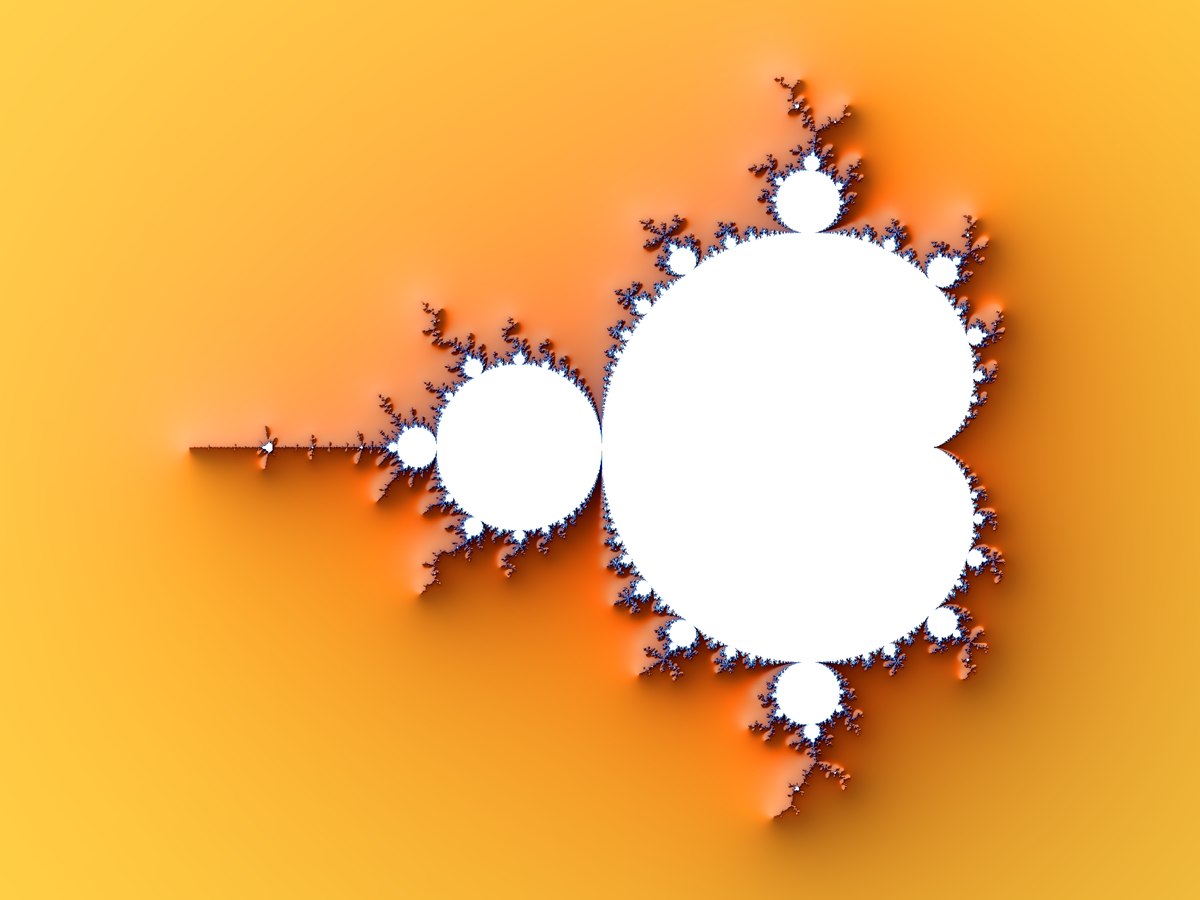
What it does
The Mandelbrot set is the best-known fractal there is: a shape of infinite detail that comes out of one short formula, repeated. However far you zoom in, there is more of it — spirals, seahorse tails, miniature copies of the whole set — and none of it is stored anywhere. It is all computed, point by point, for the exact region you are looking at.
Fractalysis lets you pan and zoom through that detail as fluidly as a map, colour it with palettes of your choosing, light it with shadows so the boundary stands out in relief, and save any view as a PNG. The picture above is its own output, unedited.
Deep zoom, done properly
Most browser fractal viewers run out of precision at a magnification of around 1015: the double-precision numbers they compute with can no longer tell neighbouring pixels apart, and the image collapses into a grid of flat colour. Fractalysis is built to go far past that point.
It uses perturbation theory: one reference point is iterated in arbitrary-precision fixed-point arithmetic, and every other pixel in the frame is computed as a small, fast double-precision difference from that reference, with a series approximation skipping the iterations that all pixels share. Only one point per frame pays for the expensive maths, so deep views stay quick, and the picture keeps resolving down to scales of around 10−24 — roughly a billion times deeper than double precision alone would allow.
Fast, because it uses your whole machine
The renderer is written in Rust and compiled to WebAssembly, and it runs on a real thread pool of Web Workers, one per CPU core. A frame is split into bands of rows and rendered in parallel, then refined progressively: a rough picture appears at once and sharpens while you watch, and the view follows your mouse or finger the whole time rather than waiting for a render to finish.
Fractalysis began as a Windows desktop application. The web version is a port of the same renderer, with the same numeric core, so what it produces on the web is what the original produced on the desktop.
Controls
- Pan by dragging. Zoom in with the scroll wheel, or hold the left mouse button and the view dives towards the pointer for as long as you hold it. Zoom out by holding the right button. On a touchscreen, drag to pan and pinch to zoom.
- Colours — pick a palette from the swatches, then shift it with the offset and stretch or compress it with the period.
- Shadows — a light source with an angle, a slope and a strength, which gives the set the look of a landscape lit from one side.
- Position — jump to preset locations, or type an exact scale and centre coordinates to return to a view or share one.
- Save — the current view as a PNG, at the size of your window.
- Statistics — what the renderer is doing while it works.
Private by design
Everything is computed on your own device. Nothing you explore or export is sent to a server, there are no accounts, and the app keeps no data about you at all. The privacy policy is short because there is little to say.
Questions
Is Fractalysis free?
Yes. It is free to use, with no limits, no watermark on what you save and no account to make. If you enjoy it, there is a tip button in the app’s info panel, and that is entirely optional.
What do I need to run it?
A current browser — Chrome, Edge, Firefox or Safari — on a desktop, laptop, tablet or phone. It uses WebAssembly and multithreading, which every recent browser supports. More cores means faster rendering, but it works on anything.
How deep can it zoom?
To scales of around 10−24, where the perturbation method it uses stops being able to separate neighbouring pixels. That is many orders of magnitude beyond an ordinary double-precision viewer, and far enough to find features that are invisible at every shallower level.
Can I use the images?
Whatever you render is yours to keep and use. A mention of Fractalysis is appreciated, not required.
Is there a Julia set mode, or other fractals?
Not at present. Fractalysis does one thing — the Mandelbrot set — and does it deeply.
Ready? Open Fractalysis (opens in a new tab), or go back to the front page for the other app: PhotoSpiralysis, which makes Droste effect spirals from photos.